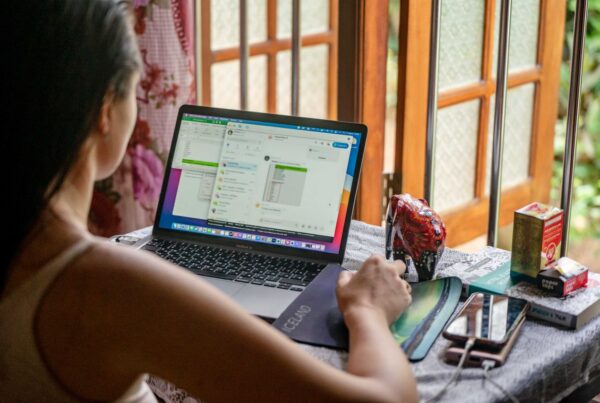
The shift happened fast. One week, everyone was in the office. The next, half the team was at home on laptops that had never been near the company network, using home Wi-Fi their IT team had never assessed, on devices that may or may not have had antivirus software installed.
For most South African businesses, that shift happened in 2020. And for a large portion of them, the security posture hasn’t materially changed since.
According to research by Duja, nearly 47% of South African employees still have the ability to work remotely either full-time or part-time in 2024. Discovery Insure’s data shows that 23% of South Africans who transitioned to working from home during the pandemic have not returned to the office full-time. Hybrid work is the new normal. And the security gaps it created are still wide open in most SMBs.
What Changed When Everyone Went Home
In a traditional office environment, IT security works in layers. There’s a managed network. Devices are provisioned and monitored by IT. Updates are deployed centrally. If something goes wrong, someone notices.
When staff moved home, almost all of that disappeared overnight. Personal laptops entered the picture — devices with no endpoint management, no antivirus policy, no visibility for the IT team. Home networks became the perimeter — networks shared with smart TVs, kids’ gaming consoles, and whatever the neighbours have done to theirs. Personal and work activity blurred onto the same devices.
From a security standpoint, the typical hybrid worker’s setup is a patchwork of risk that nobody designed and nobody is monitoring.
The Three Problems Nobody Talks About
Personal devices doing company work. Even in businesses that tried to maintain a “company device only” policy, the reality is that staff regularly access work email, files, and systems on personal phones and laptops. A personal device has no endpoint protection your IT team controls, no guarantee of encryption, and no visibility when something goes wrong. All it takes is one compromised personal device accessing your Microsoft 365 tenant to expose your company data.
Home networks as the attack surface. A home network that hasn’t been properly secured is a significantly weaker perimeter than a managed office network. As research shows, home network devices see an average of 10 attacks every 24 hours. A staff member working from home is doing so behind a router that was probably set up by their ISP, with factory default credentials that have never been changed, sharing bandwidth with every other device in the house.
No visibility equals no response. When something goes wrong on a device in your office, it’s possible to detect it quickly. When something goes wrong on a staff member’s home laptop, you often don’t find out until weeks later when the symptoms become impossible to ignore. By then, an attacker may have had sustained, quiet access to your systems and data.
What a Managed Device Policy Actually Looks Like
You don’t need to run a Fortune 500 IT department to close these gaps. You need three things:
Managed devices. Every device used for work should be enrolled in Microsoft Intune — Microsoft’s device management platform, included in most Microsoft 365 Business plans. This allows your IT team to enforce security policies, push updates, apply encryption, and remotely wipe a device if it’s lost or stolen. It also means you have visibility: you can see which devices are accessing your systems and whether they’re compliant.
Endpoint protection on every device. ESET endpoint security deployed on all company devices — including those used remotely — gives you real-time threat monitoring regardless of where the device is located. An employee working from a coffee shop in Sandton is just as protected as one sitting in the office.
Multi-Factor Authentication across all accounts. If a staff member’s credentials are stolen through phishing or a compromised home device, MFA is the control that stops the attacker from being able to use those credentials to access your systems. It takes minutes to enable across Microsoft 365 and is one of the highest-leverage security controls available to any business.
The Audit You Should Have Already Done
If you haven’t formally reviewed your security posture since your team went hybrid, you are almost certainly running with gaps that would surprise you.
A basic audit covers: which devices are accessing your systems and whether they’re managed, whether MFA is enabled across all accounts, whether company data is being accessed on personal devices, and whether endpoint protection is deployed and current on everything.
For most SMBs, this audit takes a few hours. The gaps it reveals are usually fixable quickly. The cost of not doing it — and discovering the gaps after an incident — is significantly higher.
The Window Hasn’t Closed Yet
Most businesses that got hit by security incidents following the shift to hybrid work got hit because they moved fast and never came back to fix what the speed had broken. The ones that didn’t get hit were largely the ones that addressed the gaps proactively.
Dial a Nerd helps South African SMBs assess and close the security gaps that hybrid work created. If you haven’t reviewed your remote work security posture recently, this is a good time to start.