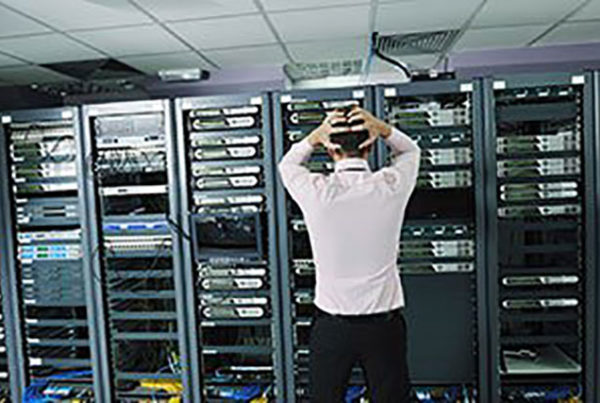
When the internet goes down in an office, everything stops. Emails, phones, payments, cloud apps, video calls. All of it. And yet most businesses treat their Wi-Fi like furniture: set it up once and forget about it.
Here’s a question worth sitting with: when was the last time anyone in your business actually looked at your router? Not rebooted it in a panic during a Teams call. Looked at it. Checked the firmware. Reviewed the settings. Thought about whether a device you bought four years ago is still up to the job.
For most small businesses, the answer is never. And that’s a problem, because your Wi-Fi isn’t just ‘the internet.’ It’s the infrastructure that everything else depends on.
Business Wi-Fi is not the same as home Wi-Fi
At home, if your Wi-Fi drops out for five minutes, you miss a bit of a YouTube video. In a business, five minutes of downtime can mean a dropped client call, a failed card payment, a cloud backup that doesn’t complete, or a team of people sitting idle because every tool they use lives online.
Business networks also carry more devices than most people realise. Laptops, phones, tablets, printers, point-of-sale systems, security cameras, VoIP phones, and increasingly, IoT devices like smart thermostats and occupancy sensors. Each one needs a reliable connection, and they’re all sharing the same bandwidth.
Then there’s security. Home networks rarely handle sensitive data. Business networks handle client information, financial records, login credentials, and internal communications. An unsecured or poorly configured business network is an open invitation to anyone looking for easy pickings. A 2025 report from ITSNYC noted that unsecured remote access tools and weak authentication settings are among the top vulnerabilities attackers scan for.
Signs your network is holding you back
These are the symptoms most small businesses learn to live with, even though they shouldn’t:
- Dropped or choppy video calls. If your Teams or Zoom calls freeze, pixelate, or drop entirely, your network can’t handle the bandwidth demand.
- Dead zones in the office. Meeting rooms, back offices, or warehouses where devices lose connection. If staff walk to a specific spot to get signal, that’s a network layout problem.
- Slow file transfers and cloud app lag. If uploading a document to SharePoint takes minutes or your CRM feels sluggish, the network is often the bottleneck, not the app.
- Frequent reboots. If someone’s weekly routine includes ‘restart the router,’ that’s not maintenance. That’s a failing device.
Mesh, extender, or access point: which one?
Wi-Fi extender: the cheapest option, but often the worst. Extenders rebroadcast your existing signal, halving your bandwidth and creating a second network name. You end up with devices stuck on the weak extender when they could reach the main router. For a single-room home office they’re fine. For a business, they usually create more problems than they solve.
Mesh Wi-Fi: a set of nodes that create one seamless network. Devices connect to whichever node is strongest, and the handoff is invisible. Systems like TP-Link Deco or Google Nest WiFi are easy to manage and work well for offices up to about 300 square metres. The limitation is that wireless mesh still loses some bandwidth between nodes.
Business-grade access points: the gold standard. Brands like Ubiquiti UniFi or Aruba Instant On offer ceiling-mounted access points connected back to a central switch via ethernet cable. Each access point has a wired connection, eliminating the wireless signal loss. It requires some cabling, but for any business that depends on its network, it’s the right investment.
Quick wins you can do this week
- Turn on QoS. Quality of Service settings let your router prioritise video calls and cloud apps over background downloads.
- Set up a guest network. Keep visitor devices separate from your business traffic and internal resources.
- Update your firmware. Manufacturers release updates that fix security holes and improve performance. Most people never install them.
- Consider Wi-Fi 6 or 7. If your router is more than three years old, newer standards handle multiple connections significantly better.
Your network deserves the same attention as your front door
You wouldn’t leave your office unlocked overnight. But an outdated, misconfigured, or undersized network is doing something similar with your digital infrastructure.
Dial a Nerd offers free office Wi-Fi assessments. We’ll map your coverage, identify dead zones, check your security settings, and recommend the right solution for your space and budget. No obligation. Just a clear picture of where your network stands and what would make it better.